
Contents
First, figure out which one is failing. The two look almost identical on screen and have almost nothing in common underneath.
- A post or reply will not publish ("Failed to send post", "Post not sent", your tweet sits there and then reverts to a draft). That is a posting problem with its own limits, causes and fixes. Go to why X says failed to send post instead. Nothing below this line will help you.
- A direct message will not send. That is this guide. Keep reading.
Getting this wrong wastes the most time, because the posting limits and the DM limits are separate systems. Hitting one tells you nothing about the other.
If it is a DM: X shows a different wording for each cause, and the wording narrows it down faster than any generic checklist. The index below sends you straight to yours. Not sure which one you have? Work down the page, which is ordered by how common each cause is.
Find your exact error message
X shows a different message for each cause, so the exact wording you see narrows things down fast. If you know which one you are getting, go straight to it:
- "Not sent. Tap for more actions". The message reached X but was not delivered, usually a sending limit.
- "You are unable to send messages in this conversation". Scoped to one thread, so the problem is that account, not yours.
- "You can no longer send messages to this person". The relationship changed.
- "You cannot send chats to this person". The thread never opened, usually their DM settings.
- "This person's inbox is closed" (also worded "This user's inbox is closed. They must update their message settings before you can message them"). Nothing is wrong with your account. Jump to it below.
- "There was a problem loading your direct messaging key". An encryption-key error, not a permissions one, and the fix is different from everything else here.
- Messages failing across every conversation at once. That is your account, not theirs.
- "Why can't I send messages at all?". The full six-cause diagnostic, if none of the exact wordings above match yours.
- "Message failed to send. Please try again later". X's generic wording, and why retrying right away makes it worse.
- A POST that will not publish. A different problem from a DM, with different limits. Start with X's rate limits, then run a shadowban test.
- The message sent, but nobody answered. Often not a failure at all. It landed in message requests, or in the filtered folder inside them, where recipients rarely look.
- Nobody can message you. The reverse problem, and a setting rather than an error. See how to open your DMs on X.
If none of that pins it down, keep reading. The rest of this guide walks through every cause, most common first.
Common reasons why messages fail on Twitter
The recipient's privacy settings are one of the most frequent causes of the "your message could not be sent Twitter" error. Many users, especially verified or high-profile accounts, limit who can DM them. If you're not following each other, your message might be blocked by default.
Hitting the daily limit is another common cause. Twitter allows a limited number of DMs per day, especially for new or low-trust accounts. If you've been messaging multiple users rapidly, the twitter message failed to send error can trigger automatically to prevent spam.
Check your internet connection first
Don't bother with deeper troubleshooting until you've checked your connection. A weak Wi-Fi signal or an erratic mobile connection is the most common cause of this error, so start there. If you're running a VPN or firewall, turn it off, then refresh your browser or app.
Network glitches get overlooked as a reason DMs fail to send. Switching to a stronger signal or restarting the app can clear the problem with no deeper fix needed. Many users assume it's a bug when it's just connectivity.
Review your DM permissions and app updates
If you can't send messages to anyone at all, the problem may be in your own account settings. Go to Settings > Privacy and Safety > Direct Messages and make sure "Allow message requests from everyone" is turned on. That one switch often fixes the "your message could not be sent" error on Twitter in seconds.
Also check whether your app is up to date. Old versions of the Twitter app may not support new DM features, or they can just be buggy. Updating to the latest version often clears up compatibility problems.
You might be blocked or muted
Sometimes your message won't send because the user has blocked you. Once you're blocked, you can't DM that person, and X won't notify you that it happened. If you're muted instead, your messages land in their "Message Requests" folder, where they may sit unread.
This stings most in business outreach and customer support, and it's part of why the broader twitter message failed to send issue hits brand communication too. The only real fix is to respect the boundary or reach out another way.
Account suspensions or restrictions
If your account was recently flagged for unusual activity, like mass following or posting spammy links, you're probably looking at a temporary suspension. The "Your message could not be sent to Twitter" alert shows up in exactly this situation, even when everything else on the account looks normal.
To check your account status, go to Settings > Your Account > Account Information. Twitter usually notifies you or shows a warning when it has restricted an account, and clearing those restrictions is what brings DMs back.
That usually means removing the flagged content or verifying your identity first.
Try sending a message on a different platform
Sometimes the problem is on the recipient's end, not yours. If your DMs aren't going through but their profile is still active, reply to one of their tweets or tag them publicly with a polite note. Or check their bio for contact info, like an email or a link to another platform.
This fallback matters most when "your message could not be sent to Twitter" errors block an urgent ask. Companies in particular should keep several contact channels open so a failed DM never means a dropped conversation.
When to contact Twitter support
If every fix has failed and your message could still not be sent on Twitter across several accounts, it's time to put the issue in front of Twitter itself. Go to Help > Contact Us > Report a problem > Direct Messages. Include your screenshots, name your device, and say whether the problem shows up on mobile, desktop, or both.
Most people wait far too long to contact support, assuming things will sort themselves out. If you're dealing with a deeper twitter message failed to send bug, that assumption costs you. Reporting early gives you a better shot at a faster fix, or at least gets the problem onto Twitter's radar.
Preventing DM issues going forward
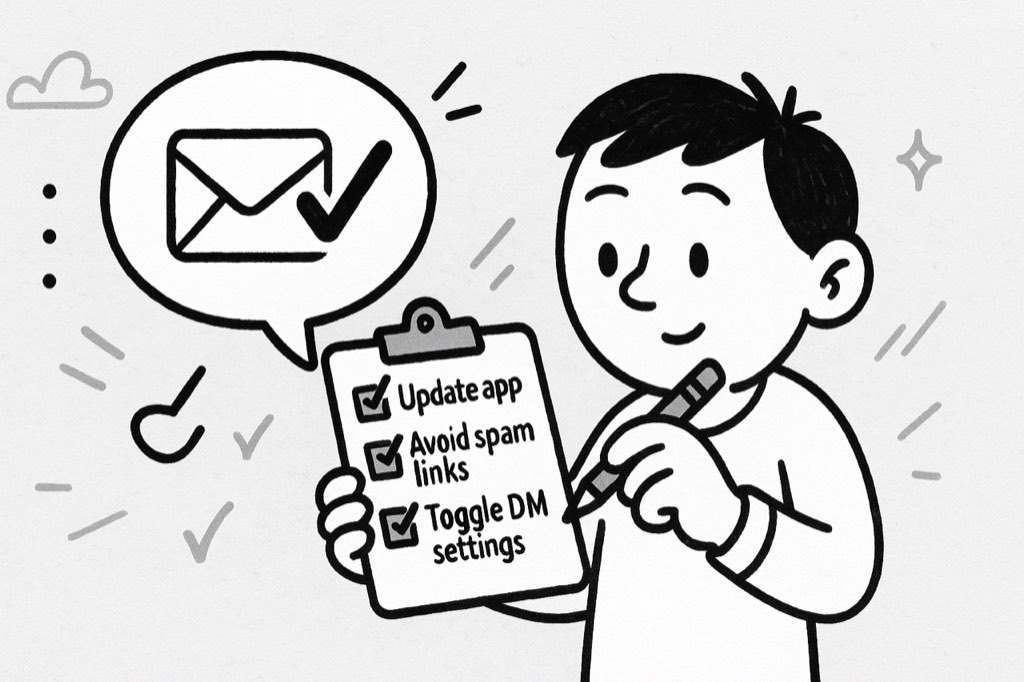
To lower the odds of this happening again, keep the app updated, don't mass message, and check your DM settings from time to time. If you use Twitter for business, verifying your account or using Twitter's Professional features gives you better message management.
Also, avoid shortened or suspicious-looking links in DMs. These can trip Twitter's spam filters and stop your message from being sent, even when you're messaging someone you've contacted before.
This person's inbox is closed
The full wording is usually "This person's inbox is closed. They need to update their message settings before you can message them", and on some builds "This user's inbox is closed. They must update their message settings before you can message them."
This one is worth calling out because it reads like an accusation and is not one. Your account is fine. Your limits are fine. You are not blocked, and nothing you do to your own settings will change it. The recipient has their DMs set to followers only, or to nobody, and you are outside that circle. X will not tell you which.
What works:
- Check whether they follow you. If their setting is followers-only, a follow from them opens the thread. That is the whole mechanism.
- Reply to one of their posts instead. A public reply is the only channel they have left open, and for outreach it is often a better first touch anyway.
- Do not keep retrying. The send will fail identically every time, and repeated failed sends against the same account is a pattern X's spam systems notice.
The one thing you control is the reverse case: your own inbox showing this message to other people. That is a setting, not an error, and how to open your DMs on X walks through it.
If you do outreach at any volume, this is the single biggest reason a list underperforms. Most people on X have closed inboxes, so a list built without checking is mostly undeliverable before you write a word. The fix is filtering to people who can receive a DM, and it belongs at list-building time rather than at send time.
There was a problem loading your direct messaging key
Different failure entirely, and the wording is the giveaway. X encrypts DMs, and the "key" here is the encryption key your client needs before it can open or send anything in that conversation. When it fails to load, the thread breaks instead of the message being rejected.
Because it's a client-side key problem, the fixes are the ones that force a fresh key exchange:
- Fully close and reopen the app. Not backgrounding it. Swipe it away and relaunch.
- Log out and back in. This is the one that usually does it, because it re-registers the device.
- Try the same conversation on x.com in a browser. If it loads there, the problem is the app's stored key, not your account.
- Update the app. Older builds and newer key formats do not always agree.
If it persists across a browser and a fresh login on more than one device, it is server-side and waiting is the only option.
New DM error variants and 2026 fixes
X keeps changing its wording, so the failure you see in 2026 may not say "your message could not be sent" at all. Watch for these newer variants and what each one usually means:
- "Something went wrong. Try again later." A generic failure, usually a temporary glitch or a rate limit. Wait a few minutes, refresh, and resend.
- "You are not authorized to send Direct Messages to this user." The recipient does not accept DMs from accounts they do not follow. Reply to a public tweet instead, or wait for them to open their DMs.
- "This account limits who can message them." A privacy setting on their side. Nothing is wrong with your own account.
- "You are no longer able to message this account." Usually a block or a report. There is no workaround here, so respect the boundary and reach out another way.
- "You have reached the messaging limit." X paused your sending to guard against spam. Slow down, space out your DMs, and try again after the limit resets.
The 2026 fixes come down to the same fundamentals: keep the app updated, avoid sending a burst of identical DMs, drop suspicious links, and warm up newer accounts before you scale outreach. Sensible pacing is exactly how tools like xAutoDM keep DMs landing in the inbox. For the basics of reaching people cleanly, see our guide on how to message someone on Twitter and our scraper page.
Final thoughts
Twitter DMs are a core part of how people and brands connect in 2026. When "your message could not be sent" shows up on Twitter, it breaks casual chats and professional outreach alike. Most of the time a settings change or an app update fixes it.
Act fast, check the possibilities, and stay inside the messaging limits Twitter sets. Whether the cause is a brief software glitch or a privacy wall, knowing why your DMs are failing gets you back in contact sooner.
If you're unsure how messaging works on the platform or need a quick refresher, check out our step-by-step guide on how to message someone on Twitter. It walks through the easiest way to connect without errors.
FAQs
Why does Twitter show "your message could not be sent"?
The "your message could not be sent Twitter" error usually means the recipient's privacy settings block DMs, they have blocked you, or your connection dropped. Those restrictions are why some messages will never reach certain accounts.
How do I fix the "your message could not be sent Twitter" issue?
Check your connection, update the app, review your DM settings, and confirm the recipient accepts messages from you. If it keeps failing after that, contact support to rule out an account or feature restriction.
Can the "your message could not be sent Twitter" error mean someone blocked me?
Yes. If someone has blocked you, every DM to them fails. You get the "your message could not be sent Twitter" note instead of any notice that you were blocked, which is part of Twitter's privacy policy.
Does a DM limit exist that leads to message failures?
Yes. Twitter caps daily DMs, and the cap hits new and unverified accounts hardest. Go past it and the "your message could not be sent Twitter" error can appear, since the platform rate-limits senders to protect against spam and abuse.
What new DM error messages show up on X in 2026?
The wording has changed in 2026, so you may see variants like "Something went wrong. Try again later," "You are not authorized to send Direct Messages to this user," or "This account limits who can message them." Most clear up the same way: slow down your sending, update the app, and confirm the recipient accepts messages from you.





Your next customer is already on X.
Find the people talking about what you sell, message them on a safe schedule, and turn the replies into booked calls.
- Scrape leads from any tweet, keyword or X List
- Auto-DM new followers and people who engage
- Follow-ups that stop the moment someone replies
- Safe daily limits and warm-up, built in
- Every reply tracked through to a booked call
Free Test plan · no credit card.
Related posts

Ready to automate your Twitter DMs?
Start sending personalized DM campaigns to your target audience today. Get higher response rates and more leads than cold emails.