
Export Twitter followers list to CSV
Download any X account's followers as a CSV or Excel file with handles, bios, follower counts and DM status. Runs in the XAutoDM app, no extension needed. Exports run on paid plans from $19 per account.
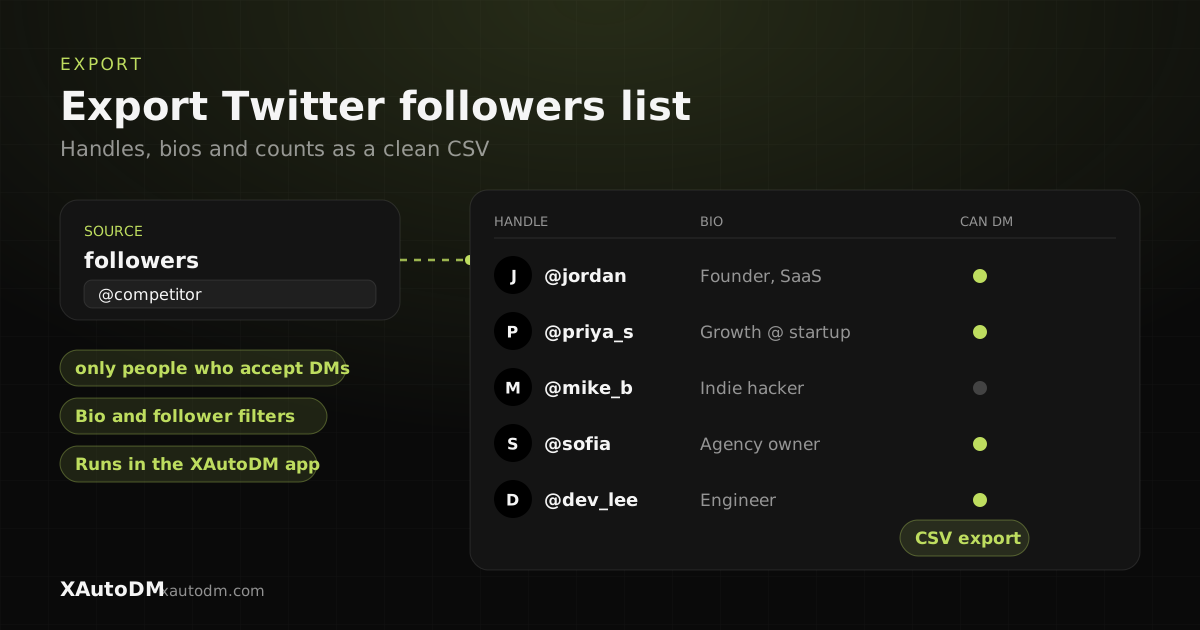
Continues in the XAutoDM app. Exports need a paid plan, from $19 per account. The export runs there, where filtering and download live.
What does the follower export do?
This tool exports the followers of any public X (Twitter) profile into a tidy CSV, with fields like handle, name, bio, follower count, and verified status. Instead of copying names by hand, you get a structured file you can filter, import into a CRM, or use to power outreach.
Can you export Twitter followers without an extension? Yes. This export runs in the XAutoDM app instead of your own browser session, so you don't install anything and the pull doesn't count as activity on your account. Browser extensions work the other way. They read the list through your logged-in session, their free tiers are small, and long lists often stall. XAutoDM's own Twitter scraper extension scores one profile at a time and doesn't bulk-export followers.
If you only need your own followers, X's data archive covers that for free. It gives you numeric account IDs instead of handles and bios, though (see the questions below). For any other public account, use the input above, or compare it with the Twitter follower scraper.
Enter a handle and you'll continue in the XAutoDM app, where the export runs. New accounts start with a 7-day free trial (card required, nothing charged until day 7), and after that exports run on a paid plan from $19 per account per month.
How to export Twitter followers to CSV, step by step
- Enter the @handle (or profile URL) of the account whose followers you want.
- Click Export to CSV to continue in the app.
- Create your account and pick a plan (from $19 per account).
- Optionally filter by bio keywords, followers, verified, or can-DM.
- Download the CSV. It opens in Excel and Google Sheets, or you can launch a DM campaign to the list directly.
Tips for better results
- Export followers of accounts your buyers already trust; the overlap is your warmest audience.
- Filter before export to keep the CSV focused on real prospects.
- The can-DM column tells you who you can actually reach, so you don't waste rows.
- A CSV is portable: use it in XAutoDM, your CRM, or a spreadsheet.
Frequently asked questions
How do I export a Twitter (X) account's followers?
Enter the handle here and continue in the XAutoDM app, where the export runs on a paid plan. You get a clean CSV with handles, bios, follower counts, and more.
Is exporting followers free?
Not here. New accounts get a 7-day free trial (card required, nothing charged until day 7). After that, exports use the lead credits that come with a paid plan, from $19 per account per month.
What columns are in the CSV?
Typical fields include handle, display name, bio, follower count, verified status, and whether the account can receive DMs, so the file is ready for filtering or outreach.
Can I DM the exported list?
Yes. The same list can launch a personalized DM campaign inside XAutoDM, with safe pacing and follow-ups that stop when someone replies.
Can you export Twitter followers?
Yes, for any public account. Enter the handle above and continue in the XAutoDM app, where the export runs on a paid plan. You get a CSV with handle, name, bio, follower count and verified status.
How do I export all Twitter followers?
Enter the handle and continue in the app. Large exports run in the background. Each run has a cap, so a very large account may take more than one run.
How do I export my own Twitter followers for free?
Use X's data archive. In X, open Settings and privacy, then Your account, then Your X data, verify your identity and choose Request data. X says it can take a few days to prepare. The archive lists your followers as numeric account IDs in a JSON file rather than a CSV with handles and bios, so you need a separate lookup to make it readable. This only works for your own account.
Is there a Chrome extension to export Twitter followers?
Third-party extensions exist. They read the list through your logged-in session, their free tiers tend to be small, and large pulls can stall or get your account flagged. XAutoDM's own Chrome extension doesn't bulk-export followers. It scores one profile at a time as you browse. For a full list, use the export above.
Can I export Twitter followers to Excel?
Yes. The export is a CSV, which opens directly in Excel and Google Sheets, so it doubles as a Twitter followers to Excel export.
Can I export a list of followers from Twitter for any account?
Yes, for any public profile. Enter the handle and the export runs in the XAutoDM app. You get a CSV of that account's followers with handle, name, bio, follower count and verified status. It isn't limited to your own followers.
Turn your X profile into booked calls
XAutoDM finds your ideal buyers on X, sends personalized cold DMs that land in the inbox, and turns replies into meetings, on autopilot.
Get started