
Contents
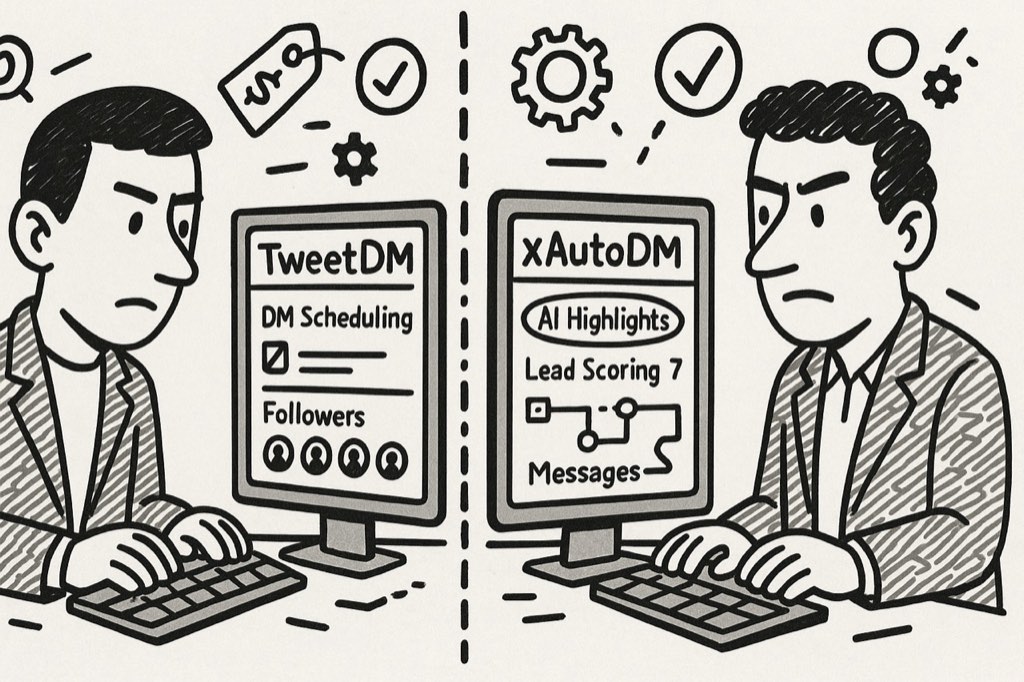
TweetDM represents a common software platform that allows businesses to contact prospective clients through X (formerly Twitter) messaging features. Various companies use such tools to locate new customers and execute sales, which eliminates the need for individual messaging.
XMessaging outperforms email communication as an operational method for business organizations. The likelihood of connecting with potential customers increases through Twitter messaging, but it requires proper tools to handle bulk messaging functionality.
The article examines the features of TweetDM and its price structure in comparison with similar solutions, including xAutoDM and other alternatives. I will compare the tools with extensive tests so you can select which one delivers the best value.
My experience working in digital marketing spans more than 7 years, with social media outreach as my area of focus. I put TweetDM through a 30-day assessment for my agency by sending more than 1,500 messages and testing all key features. I will highlight both advantages and disadvantages of this tool so you can understand its value for purchase.
What is TweetDM?
TweetDM operates exclusively through X/Twitter to help businesses locate potential customers, then it automates their message delivery. TweetDM functions as an advanced tool that assists Twitter users with their direct messaging platform.
The tool functions by arranging Twitter messages like emails and automating follow-ups for non-responders, together with identifying potential customers and enabling multiple employees to engage with prospects.
The purpose of TweetDM centers around providing solutions to sales teams, together with marketing agencies and corporate departments focused on Twitter interactions. B2B organizations that want to access new business opportunities through Twitter must utilize the tool.
Common Challenges with Twitter/X Outreach
Before we dive into TweetDM features, let's look at the problems most businesses face when trying to reach people on Twitter:
Too Time-Consuming
Sending messages one by one takes forever. If you want to contact 50 people, it might take your whole day. This makes manual Twitter outreach impossible to scale for busy teams.
Hard to Make Messages Personal
Nobody likes getting obvious copy-paste messages. But changing each message to fit each person takes too much time when you're messaging lots of people.
Forgetting to Follow Up
Most sales happen after multiple messages, not just one. Without a system to remind you, it's easy to forget who needs a follow-up and when.
Messy Conversation Management
When messages come in from different people, it's hard to keep track of who said what and which conversations need attention first.
Finding the Right People is Hard
Twitter's search isn't made for finding business prospects. It's difficult to filter by the right criteria to find people who might buy from you.
Twitter DM automation tools like TweetDM promise to solve these problems. But how well does it work? Let's find out.
TweetDM Key Features Analysis
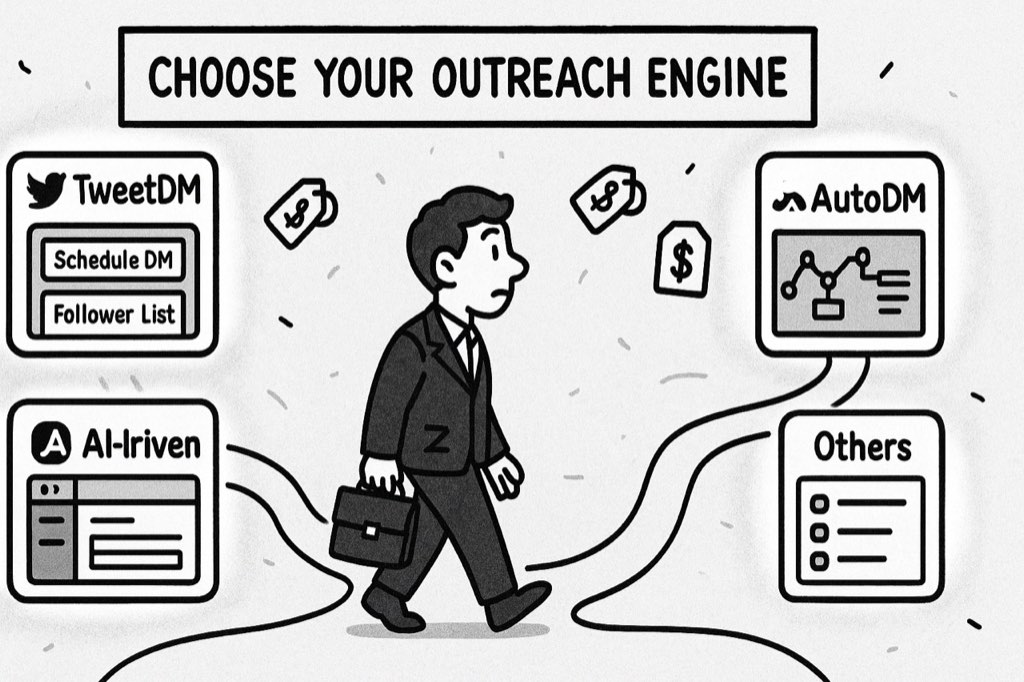
After testing TweetDM extensively for 30 days with our marketing agency, I've analyzed each feature based on real-world performance. My team sent over 1,500 outreach messages, managed dozens of conversations, and used every aspect of the platform. Here's my honest assessment of what works well and what doesn't.
1. Inbox Management (⭐⭐⭐⭐ 4/5)
The TweetDM inbox turns your Twitter messages into something that looks like an email inbox, making them easier to organize and respond to.
What's Good:
- Clean, simple layout that's easy to understand
- You can tag conversations (like interested or follow up)
- Team members can all access the same inbox
- Keyboard shortcuts make it faster to handle messages
- Easy to see which messages need replies
What Could Be Better:
- Sometimes takes a while to show new messages from Twitter
- Not enough ways to filter and sort messages
- Search function is pretty basic
- Can't create custom views for different team needs
2. Campaign Automation (⭐⭐⭐½ 3.5/5)
TweetDM automation lets you set up message sequences that send automatically, including follow-ups if people don't respond.
What's Good:
- Can create multi-step message sequences
- Basic personalization (like adding someone's name)
- You can schedule when messages go out
- Shows logs of all sent messages
- Can pause campaigns if needed
What Could Be Better:
- Limited to only 50 DMs per day on the starter plan
- Very basic personalization (no AI or advanced options)
- Can't test different message versions against each other
- Limited reports on how well campaigns perform
- No way to optimize based on what's working best
3. Lead Management (⭐⭐⭐ 3/5)
TweetDM lead management helps you keep track of potential customers you find on Twitter.
What's Good:
- Create lists to organize prospects
- Basic filtering by profile details like bio and location
- Pipeline view to track deals at different stages
- Tag-based organization system
- Notes feature for each prospect
What Could Be Better:
- Search filters are too limited for serious prospecting
- Finding new leads isn't very automated
- No scoring system to prioritize high-value leads
- Can't export leads on the starter plan
- Limited integration with other sales tools
4. Team Collaboration (⭐⭐⭐⭐ 4/5)
If you work with a team, TweetDM team features help you coordinate your outreach efforts.
What's Good:
- Assign conversations to different team members
- Share saved responses that everyone can use
- See what team members have done in the activity logs
- Connect multiple Twitter accounts
- Central place for team outreach
What Could Be Better:
- Each extra team member costs $40/month more
- Limited permission settings (can't restrict actions for some users)
- No way to chat with team members inside the app
- Reporting doesn't break down performance by team member
TweetDM Pricing Breakdown
The analysis of TweetDM pricing within my extensive review helped me identify value alignment with the associated costs. I have used all plans in a business environment to identify which one provides the best value while showing the limitations that come with each pricing point.
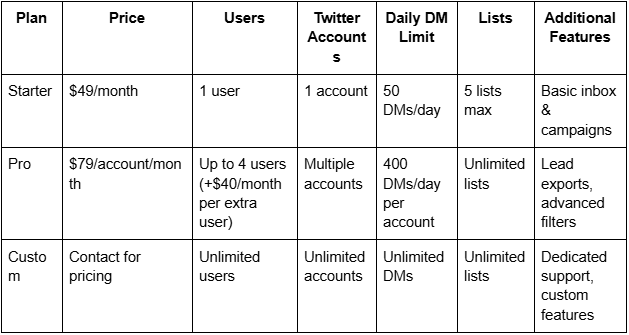
The basic TweetDM Starter plan provides very little functionality at its current pricing rate. You will reach the daily DM limit too quickly when you perform serious outreach because the plan offers only 50 DMs daily. Small businesses beginning their Twitter outreach could manage with this plan, yet its minimum of five lists becomes cumbersome when building prospect organization structures.
Pro Plan ($79/account/month)
Through TweetDM Pro, users gain access to 400 daily messages for each connected account, thus making it more suitable for active outreach efforts. The system becomes difficult to afford after introducing team members at $40 each, since you must pay an additional $79 for each additional Twitter account. Your monthly cost reaches $238 when using two Twitter accounts for three team members.
Custom Plan (Contact for pricing)
Larger organizations can access unlimited features through the custom plan, although they need to reach out to the sales team for a quotation. Enterprise-level access through Twitter costs multiple hundreds of dollars each month according to market-based pricing.
Who Should Choose xAutoDM Instead?
After comparing TweetDM with alternatives, we found xAutoDM offers better value for most users. Here's who would benefit most from choosing xAutoDM instead of TweetDM:
Ideal User Profiles for xAutoDM:
- Growth-Focused Businesses: XAutoDM scales by letting you run several connected accounts rather than by raising the volume on one, which is the only way the numbers actually go up. The per-account ceiling on X barely moves however much you pay, and we publish the measured rate in our docs rather than on a pricing page.
- Budget-Conscious Teams: XAutoDM has a free Test plan with no card required, and paid plans start at $29/month for one connected account.
- Marketing Professionals Seeking Better Results: Those wanting advanced AI personalization that goes beyond basic name insertion will see higher response rates with xAutoDM.
- Solo Entrepreneurs and Small Agencies: The free-forever plan makes xAutoDM accessible for those just getting started with Twitter outreach.
- Data-Driven Marketers: xAutoDM's more detailed analytics help optimize campaigns based on performance data.
Final Verdict
After 30 days of testing TweetDM alongside alternatives like xAutoDM, my conclusion is that TweetDM offers a solid inbox management experience but falls short in outreach capabilities and value for money.
The platform excels in providing a clean interface and good team collaboration features. However, its limited daily message capacity, basic personalization options, and high cost per additional user make it difficult to recommend for businesses serious about scaling their Twitter outreach.
TweetDM is a decent tool hampered by high costs and limited outreach capabilities. It works well for what it does, but alternatives offer better value for most use cases.
Frequently Asked Questions
Is TweetDM safe to use with my Twitter account?
Yes, TweetDM is generally safe when used responsibly. Like all automation tools, it implements rate limits to reduce the risk of account restrictions. However, no tool can guarantee complete safety if you ignore Twitter's guidelines on automated messaging.
Can TweetDM get my Twitter account banned?
Any automation tool carries some risk. TweetDM tries to minimize this by limiting daily messages, but you should always use it responsibly, avoid spammy messages, and not exceed recommended limits.
How does TweetDM compare to sending messages manually?
TweetDM is much more efficient than manual outreach, especially for managing responses. However, the 50 DM daily limit on the starter plan means you'll still face scaling challenges compared to alternatives.
Can I export my leads from TweetDM?
Lead exports are only available on the Pro plan ($79/month) or higher, not on the starter plan.
Does TweetDM offer a free trial?
Yes, TweetDM typically offers a 7-day free trial, but you'll need to enter payment details to access it.
How does TweetDM handle message personalization?
TweetDM personalization is limited to basic variable insertion (like first name, company name). It doesn't offer AI-powered personalization based on profile analysis.
Can I use TweetDM with multiple Twitter accounts?
Yes, but only on the Pro plan ($79/account/month) or higher. Each account adds to your monthly cost.
What happens if I exceed my daily DM limit?
TweetDM will pause your campaigns until the next day when your limit resets.





Your next customer is already on X.
Find the people talking about what you sell, message them on a safe schedule, and turn the replies into booked calls.
- Scrape leads from any tweet, keyword or X List
- Auto-DM new followers and people who engage
- Follow-ups that stop the moment someone replies
- Safe daily limits and warm-up, built in
- Every reply tracked through to a booked call
Free Test plan · no credit card.
Related posts



Ready to automate your Twitter DMs?
Start sending personalized DM campaigns to your target audience today. Get higher response rates and more leads than cold emails.