

Contents
Everyone experiences the frustration of maintaining an outdated Twitter name that fails to represent their current personal identity. The process of updating your Twitter handle requires only a few clicks while preserving your current fanbase.
The Twitter handle functions as your virtual identification since it enables others to locate track and keep your identity. After the @ symbol you have just a few characters to make powerful first impressions.
The good news? You can quickly modify your handle because it will not disrupt your Twitter account. Your followers, tweets, and DMs all stay intact. We will provide step-by-step instructions to guide you through Twitter username updates in 2026.
What's a Twitter Handle Anyway?
A Twitter handle provides users with their exclusive platform identification through the @ symbol prefix. The @ symbol announcing your Twitter handle showing up in your profile URL as well as in mentions and while tagging you in discussions. The Twitter handle works as your private digital label since it remains unique to your profile.
Your display name serves as the main name above your profile and doesn't include the @ symbol. Twitter allows you to create a display name from your actual name or business designation or an alternative choice that matches other users without causing any conflicts.
Users need to select a Twitter handle containing 4-15 characters using only letters numbers and underscores because Twitter does not permit any spaces or special characters. The display name provides up to 50 characters of editing capacity.
How to Change Your Twitter Handle in 2026
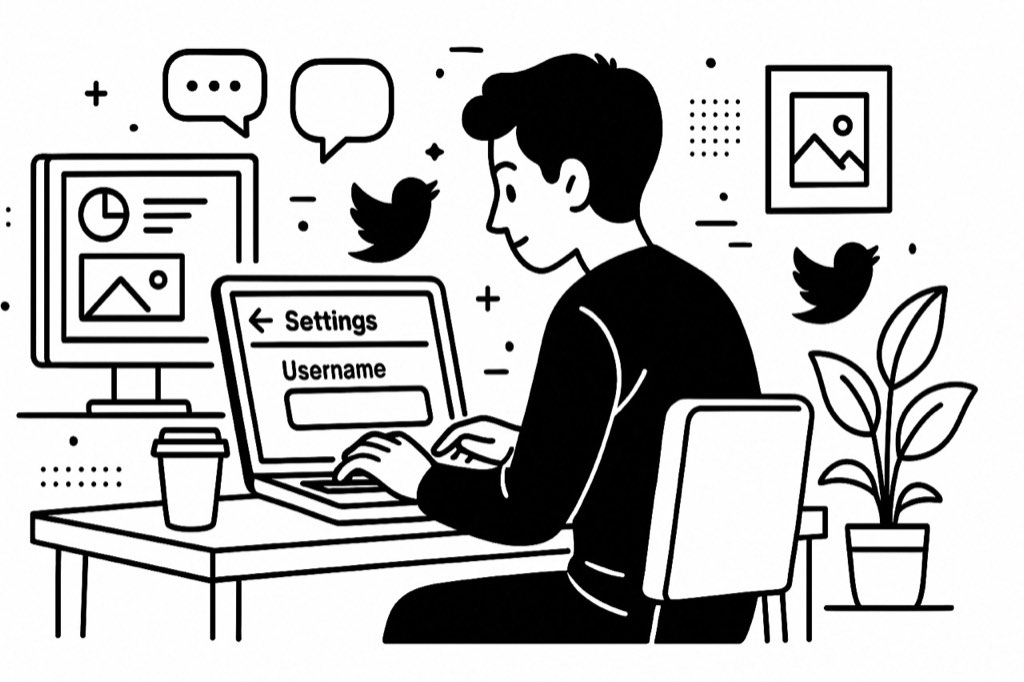
Stuck with an outdated Twitter handle? Changing it is quick and won't cost you followers. Here's how to update your online identity.
On Desktop
-
Click on the more button (three dots) from the navigation bar on the left side of your screen.
-
Select Settings and privacy from the menu.
-
Click on Your account in the left sidebar.
-
Select Account information. You'll need to enter your password to confirm it's you.
-
Under Account information, look for the Username field showing your current handle.
-
Type your new desired username in the field. Twitter will immediately tell you if it's available.
-
Click the Save button to apply your changes.
On iOS Mobile App
-
Open the Twitter app and tap your profile icon in the top-left corner.
-
Tap Settings and Support, then select Settings and privacy.
-
Tap Your account, then choose Account information.
-
Select Username from the menu.
-
Enter your desired new username in the text box.
-
Tap Done in the top-right corner to save your changes.
On Android Mobile App
-
Open the Twitter app and tap your profile icon in the top-right corner.
-
Tap Settings and Support, then select Settings and privacy.
-
Tap Account, then select Username.
-
Enter your new username in the field provided.
-
Tap Done in the lower-right corner to confirm your change.
Tips for Choosing the Perfect Twitter Handle
When selecting your new handle, consider these guidelines:
- Think about your brand identity: Choose a handle that reflects who you are or what you do. If you're a photographer named Sarah, something like @SarahPhotos is clear and relevant.
- Avoid numbers and special characters: They make your handle harder to remember and appear less professional. Instead of @John123, try adding a relevant word like @JohnWrites.
- Keep it short and memorable: Shorter handles are easier to type, remember, and tag. They also leave more characters for actual content in replies.
- Check availability across platforms: If possible, choose a handle that's available on other social media platforms for consistent branding.
- Consider professional impact: If you use Twitter professionally, choose something that wouldn't embarrass you in a job interview or client meeting.
What If Your Desired Handle Is Taken?
If your preferred handle is already claimed, you have several options:
**\
- Try variations:** Add relevant words, underscores, or abbreviations that still reflect your identity.
2. Be creative: Think of synonyms or alternative ways to express your name or brand.
3. Check if it's inactive: If the account seems abandoned, it might be worth reaching out to Twitter support, though there's no guarantee they'll release it.
4. Consider verification: If you're eligible, verification can help people identify your authentic account even if your handle isn't ideal.
Conclusion
Changing your Twitter handle in 2026 is quick and painless. With your followers, tweets, and DMs intact, it's the perfect way to refresh your online presence or align with your current brand. Choose wisely, announce your change, and enjoy your new digital identity!
Frequently Asked Questions
Can I change my Twitter handle multiple times?
Yes, you can change your handle as many times as you want. However, Twitter may limit frequent changes to prevent spam. Consider waiting a few days between changes to avoid any temporary restrictions.
Will I lose followers when I change my Twitter handle?
No, you won't lose any followers when changing your handle. Your follower count remains exactly the same, and all your tweets, likes, and DMs stay intact. Only your username changes in the system.
What happens to my old Twitter handle after I change it?
Your old handle becomes immediately available for anyone to claim. If you're concerned about brand protection, consider creating a backup account with your old handle and redirecting followers to your new one.
How do I let people know I've changed my Twitter handle?
Post an announcement tweet from your account, update your bio to mention the change, and update your handle across other social platforms. Consider pinning the announcement tweet to the top of your profile.





Your next customer is already on X.
Find the people talking about what you sell, message them on a safe schedule, and turn the replies into booked calls.
- Scrape leads from any tweet, keyword or X List
- Auto-DM new followers and people who engage
- Follow-ups that stop the moment someone replies
- Safe daily limits and warm-up, built in
- Every reply tracked through to a booked call
Free Test plan · no credit card.
Related posts


Ready to automate your Twitter DMs?
Start sending personalized DM campaigns to your target audience today. Get higher response rates and more leads than cold emails.