
Contents
In 2026, Twitter, the platform known as X and used for social networking, business outreach, and real-time updates, remains one of the most used platforms. Whether it is to check updates from your favourite creators or run a campaign, it all starts with one piece of information—the Twitter login.
The process looks simple; however, users should be aware of the fact that the developer has introduced new features, methods, and even security measures. The login procedure has changed; for instance, besides mobile app access, you can also use multi-device syncing and passwordless login options.
How to Log in to Twitter (Now X) in 2026
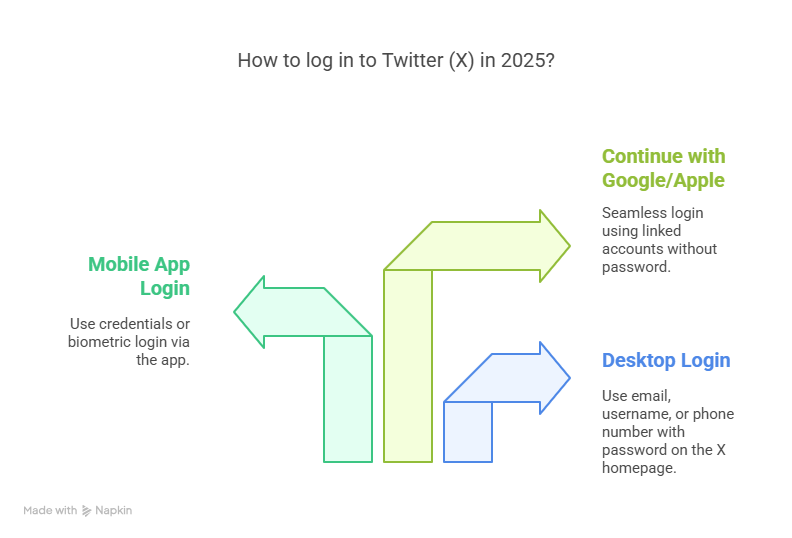
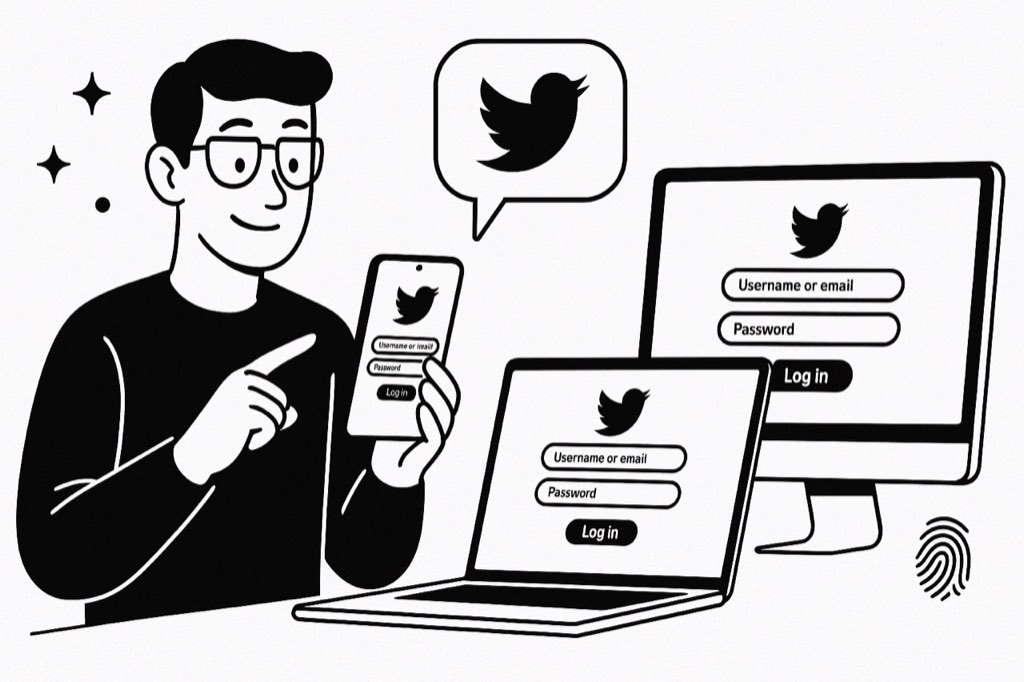
Accessing your Twitter account today is simple, but slightly different depending on the device or method you use. If you’re logging in on a desktop computer, go to twitter.com/login, which is now redirected to the X homepage. There, you enter your email, username, or phone number, followed by your password.
As for mobile users, the Twitter (X) app is the fastest way to go. It allows you to sign in either using your credentials or opting for biometric login, including Face ID or fingerprint scan, and choose from your device settings.
The application has also become simpler without the need for the login button. If your Twitter account is bound with Google or Apple already, you can select “Continue with Google” or “Continue with Apple,” and you will get into your account without needing to enter your password again and again.
New Features in Twitter Login for 2026
In the year 2026, the login process on Twitter is associated with extra security as well as ease of use. An obvious example is the addition of passkeys, a way of identification that is predominantly biometrics. Rather than using passwords, users will now be able to access their accounts on Twitter by using only facial recognition or a fingerprint. Creation of a one-time login code has also been improved by this feature. In this case, a user who has lost his password but has a functional phone or email would receive a secure code from Twitter to sign in temporarily, thus making the process less cumbersome.
The company has also upgraded the multi-device feature. As an example, once signed in on one device, you will be able to log in on another device just by scanning a QR code, instead of filling in the information manually.
Twitter Login Issues: Common Problems and Fixes
Sometimes, logging into your account won't work that well. One of the most common Twitter login hitches is forgetting the password or the username. No worries, as retrieving your password through mail or SMS can be done quite easily on Twitter. Don't forget this option: “Forgot password?” On the login page, clicking it initiates the complete process.
More login problems can include locked or suspended accounts. If you get an alert after entering your data, it may be due to suspicious actions or violations of Twitter’s policies. In this case, you should act according to the on-screen indications to appeal or confirm your identity.
If you are facing login loops (when Twitter keeps redirecting you to the login page), try clearing your browser cache or switching devices, as they generally resolve the issue most of the time.
Twitter Login for Business and Multi-Account Management
For those who have several Twitter profiles, maybe to run a business, help clients, or personal branding, Twitter login now has even smoother features for multiple account switching. After signing into one account, adding others becomes a walk in the park, which requires no log out. This is especially handy for creators, marketers, or social media managers, who, in their turn, handle different accounts.
Furthermore, browser-based login extensions and multitasking tools such as TweetDeck (now incorporated into X Pro) also allow users to stay signed in on various accounts as well as switching between them rapidly.
As for the Twitter platform, it has also come up with the concept of delegated login access via the X for Business model. This is a smart function that enables the essential team players to create and manage content without accessing the account owner's details.
How to Stay Secure While Logging Into Twitter

Amidst these fast-developing connection lines, account security is the topmost priority of all. The moment you get over the Twitter login hurdle, do not forget to turn on the two-factor authentication (2fa) function. To do that, you can choose to either use SMS-based codes or apps like Authy or Google Authenticator.
When possible, never use public Wi-Fi or unknown devices for logging in. Also, do not ever share your login details—even with those you think can be trusted completely. Instead, whenever possible, rely on team tools to delegate access.
Additionally, you could even opt for login alerts, which would be a good extra step in protecting your account. For example, you will be notified by Twitter about any login attempts from autonomous devices, thus giving you an insight into whether your account has been accessed somewhere else.
Twitter (X) Login Troubleshooting in 2026
Login flows shifted again heading into 2026, so a failed sign in is rarely just a wrong password. Work through these fixes in order:
- Login loops: if X keeps bouncing you back to the login page, clear your browser cache and cookies, update or reinstall the app, and disable any VPN or conflicting extensions before trying again.
- Passkey or 2FA prompt not arriving: make sure the device you registered is nearby and online. If a code never lands, use a backup code or an authenticator app instead of SMS.
- Suspicious login or verification screen: X may ask you to confirm a code sent to your email or phone. Complete it from a trusted device on a stable connection.
- Locked or restricted account: follow the on screen steps to appeal or verify your identity, and avoid repeated failed attempts, which can extend the lock.
- Third-party tools: if you run outreach or scheduling, keep your session healthy and avoid logging in and out constantly. Stable sessions are part of why safe automation tools like xAutoDM pace their activity per account. See our scraper page for how outreach sits on top of a logged in account.
Conclusion
Twitter Login is Straightforward but Requires Taking Notice of Some Risks
Even though logging into Twitter may seem to be just one small step amid so many things, accessing your digital self through it is massive. Hence, it is only logical that you would start with a secure, quick Twitter login for activities such as checking updates, responding to followers, or managing a campaign.
Along with biometric access, multi-account support, and new safety levels, 2026 Twitter's login operation establishes a common ground for ease and security. Don't forget to use the most up-to-date tools available to guarantee safe and hassle-free access.
FAQs
How do I log into Twitter in 2026?
Go to twitter.com or be a user of the X mobile app. Simply put your username or email in the appropriate place and add the password. After this, you have the chance to socialise through the login button with Google/Apple. Also, you have another option, like the use of Face ID, fingerprint, or a passkey on supported devices for secure access.
What to do if my Twitter account isn't logging in?
Login problems usually arise because of forgotten credentials or browser cache issues and in some cases, the account may be suspended. You can try resetting the password, using another device or clearing your cache. If your account is blocked, just follow what Twitter tells you to do to verify your identity, or for example, to appeal, etc.
Is it possible to use Twitter without logging in?
Sure, you can visit public profiles and tweets without having a login at all. Nevertheless, some perks that are available to fully scoppable content will be posting, liking, retweeting, or having access to the personalised content that requires a valid Twitter login session.
What is the method for switching accounts on Twitter?
You have to first log in in order to go to your profile menu and tap on `Add existing account`. After that, you will be able to change between different accounts without having to sign out. X Pro and TweetDeck are the tools that are designed for streamlined multi-account management on the part of the business user.
Why does Twitter keep sending me back to the login page?
A login loop is usually caused by a corrupted cache, expired cookies, or an outdated app. Clear your browser cache and cookies, update or reinstall the X app, disable conflicting extensions or a VPN, then try signing in again. If it persists, switch browsers or devices to rule out a local issue.





Your next customer is already on X.
Find the people talking about what you sell, message them on a safe schedule, and turn the replies into booked calls.
- Scrape leads from any tweet, keyword or X List
- Auto-DM new followers and people who engage
- Follow-ups that stop the moment someone replies
- Safe daily limits and warm-up, built in
- Every reply tracked through to a booked call
Free Test plan · no credit card.
Related posts



Ready to automate your Twitter DMs?
Start sending personalized DM campaigns to your target audience today. Get higher response rates and more leads than cold emails.