

Contents
Ever wondered how to send a private message to someone on X (formerly Twitter)? Direct Messages, or DMs, are the platform's private conversation feature that lets you connect one-on-one with anyone who accepts messages. Whether you're reaching out to a potential client or chatting with friends, knowing how to DM on Twitter is an essential social media skill.
Modern digital networking relies on direct messages, which substitute traditional business cards. The platform offers exclusive access to business possibilities through private messaging that surpasses the potential of public tweets. Successful relationships begin with the initial message that triggers professional connections as well as personal bonds.
Learning how to message someone on Twitter effectively can dramatically expand your network. Direct messages enable users to maintain private conversations, which generate trust and facilitate relationship-building.
xAutoDM automates business outreach to transform brand engagement, enabling companies to convert casual followers into active leads without requiring traditional human effort.
What are Direct Messages on X?
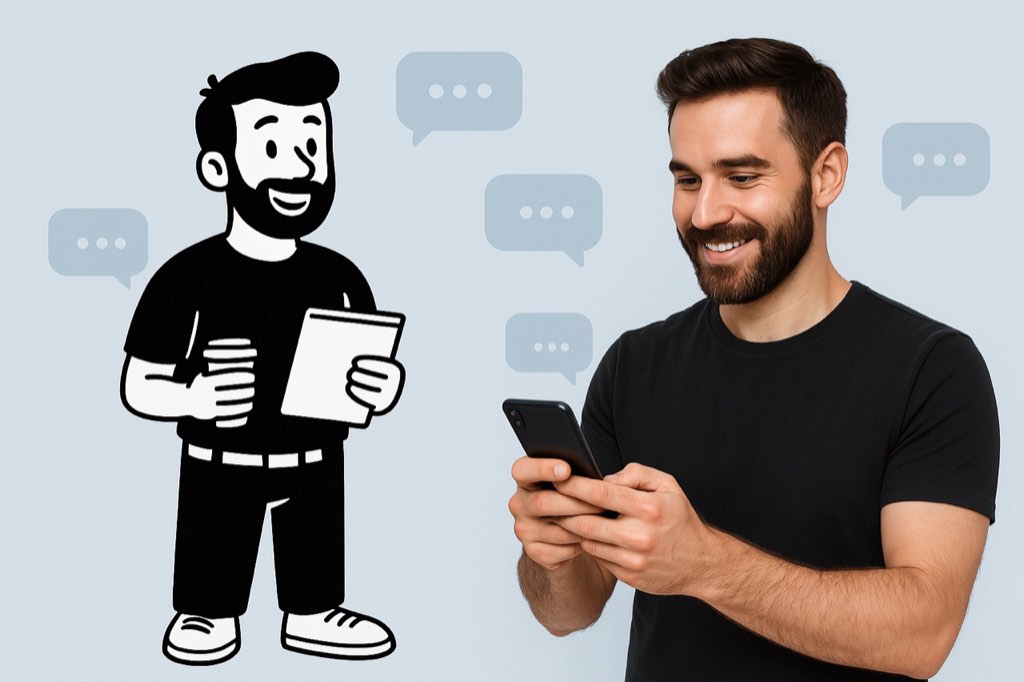
The X platform enables users to engage in Direct Messages, which function as personalized conversations while remaining invisible to public view. The ability to learn how to DM on X lets you start exclusive conversations that maintain privacy from the public eye. DMs on X provide complete privacy, which enables users to share sensitive information and conduct business inquiries and personal connections.
Users can send direct messages to their followers unless they alter their privacy settings. Users who operate businesses or create content typically enable open direct messages to receive messages from anyone. To DM on Twitter, who don't follow you, first verify if they've made their direct messaging accessible to everyone.
DMs represent a private communication channel that differs from tweets, which exist publicly. Understanding how to DM on Twitter involves remembering that private messages stay hidden from search results and timeline views. These private conversations exist independently of your social profile, thus offering a secure space to handle business deals and customer support, or professional networking activities.
Learning efficient Twitter DM techniques enables professionals to build individual connections, which typically lead to better conversions than public engagement, thus making DMs on X a vital digital communication resource.
Basic Methods: How to DM Someone on Twitter/X
Want to send a private message on X? Let's look at the easiest ways to start chatting!
Via Web Browser
Learning how to DM on Twitter through your web browser is straightforward. Follow these detailed steps:
- Open your preferred web browser, navigate to x.com, and log in to your account
- Click on "Messages" from the left-hand sidebar menu (looks like an envelope icon)
- Click the blue "New message" button in the top-right corner of your messages screen
- Search for and select the user you want to message, then click "Next" in the top right corner
- Type your message in the text field and press Enter or click the send icon to deliver
Once sent, your message will appear in your conversation history, making it easy to continue the discussion later. This is the simplest way to DM someone on Twitter when you're using a computer.
Via Mobile App
The X mobile app offers multiple ways to message someone on Twitter. Here are two easy methods for iOS and Android users:
Method 1: Messaging from a Profile
- Open the X app and search for the specific user you want to message
- Tap on their username or profile picture to open their full profile
- Tap the envelope icon located near their profile picture
- Type your message in the text field at the bottom of the screen
- Tap the send button (paper airplane icon) to deliver your message
Method 2: Using the Messages Section
- Open the X app and tap the envelope icon in the bottom navigation bar
- In the messages screen, tap the message composition icon (usually a "+" symbol)
- Search for and select the person you want to DM in Twitter
- Type your message in the text field
- Tap the send button to deliver your message
Both methods accomplish the same goal, but the first is better when viewing someone's profile, while the second works best when you specifically want to start a new conversation. Learning how to DM people on Twitter through both methods gives you flexibility based on how you're using the app.
Scaling Your DM Strategy: From Manual to Automated

After learning how to DM on Twitter, you will realize that manual outreach has several constraints. Manual one-by-one messaging of several contacts each day creates excessive time consumption and hampers effective communication tracking.
The automation tool xAutoDM proves essential at this point. These solutions automate the process of Twitter DMs to enable businesses to reach their target audience at scale and maximize their connection opportunities with potential clients and customers.
Knowing how to message someone on Twitter, Twitter automation enables your business to communicate with hundreds of qualified prospects every week instead of reaching out to a few prospects each day. By expanding its reach, Twitter transforms from a casual social tool into an automated lead generation channel that functions 24/7.
The best part? The personalization feature remains functional even when operating at large scales. The analysis tools within xAutoDM help businesses create personalized messages that feel handwritten while maintaining the authentic value of learning how to DM on Twitter.
Best Practices for Effective X DMs
Master these techniques to get your messages noticed and answered!
- Start with relevant context: Reference something specific from their recent tweets or profile to show you've done your homework and aren't just sending random messages to everyone.
- Keep it concise and clear: Twitter users appreciate brevity—state your purpose within the first two sentences and keep your total message under 400 characters for better readability.
- End with an easy-to-answer question: Close your message with a specific question that requires minimal effort to respond to, making it more likely they'll engage with your outreach.
- Time your messages strategically: Send business DMs during weekday working hours (10am-4pm) when professionals are most active, and avoid weekends when messages often get buried under Monday's notifications.
- Follow up thoughtfully: If you don't receive a response, wait 2-3 days before sending one polite follow-up, then respect their silence if they still don't reply—persistence has its limits.
Conclusion
Mastering how to DM on X opens up powerful communication possibilities beyond public tweets. Whether for networking, customer service, or personal connections, direct messages create meaningful private conversations.
Knowing how to message someone on Twitter effectively can transform your social media experience. From basic web and mobile messaging to automated solutions like xAutoDM, the platform offers flexible options for every need.
Start implementing these techniques today to expand your network. Once you're comfortable with how to DM in Twitter, you might explore scaling your outreach with automation tools to connect with more prospects efficiently.
Frequently Asked Questions
Can I DM someone who doesn't follow me on X?
You can only message someone on Twitter who doesn't follow you if they've enabled the setting to receive messages from anyone. Check their profile for message availability.
How do I know if someone read my DM on X?
When learning how to DM on Twitter, note that read receipts show when someone has seen your message. Look for the small "Seen" indicator below your message.
Can I send group DMs on X?
Yes, you can create group conversations when you learn how to DM people on Twitter. Simply add multiple users when creating a new message to start a group chat.
Is there a limit to how many DMs I can send on X?
X limits new accounts to prevent spam. Established accounts can send more DMs, but excessive messaging might trigger restrictions on how to DM in Twitter.
How can I filter unwanted DMs on X?
Manage message requests by adjusting your privacy settings. This controls who can send you messages and helps filter unwanted contacts when people DM on X.





Your next customer is already on X.
Find the people talking about what you sell, message them on a safe schedule, and turn the replies into booked calls.
- Scrape leads from any tweet, keyword or X List
- Auto-DM new followers and people who engage
- Follow-ups that stop the moment someone replies
- Safe daily limits and warm-up, built in
- Every reply tracked through to a booked call
Free Test plan · no credit card.
Related posts


Ready to automate your Twitter DMs?
Start sending personalized DM campaigns to your target audience today. Get higher response rates and more leads than cold emails.