
Contents
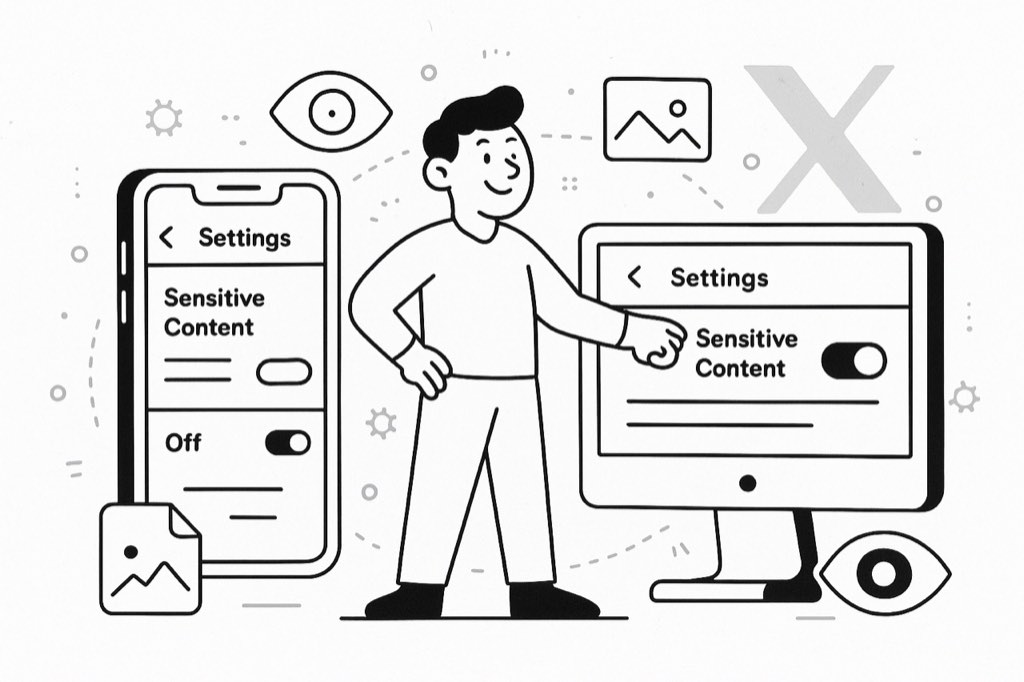
In today’s evolving social media space, platforms like X (formerly Twitter) show users a range of content, including posts marked as sensitive. If you're tired of running into blurred tweets and warnings, knowing how to turn off sensitive content on X can help you enjoy a smoother browsing experience.
Luckily, it's easy to adjust your X sensitive content settings to match your comfort level. Whether you’re exploring new trends or running business campaigns, being able to turn off sensitive content ensures that you control what you see — not the algorithm.
Let’s dive into how to turn off sensitive content, disable sensitive content, and take full control over your X timeline today.
Understanding What Sensitive Content Means on X
Sensitive content on X refers to posts that might involve graphic, violent, or adult material. The platform automatically blurs or warns users about these tweets to protect general audiences. However, not all flagged posts are extreme; many are harmless or artistic.
Learning how to turn off sensitive content on X lets you decide whether you need these warnings. When you disable sensitive content manually, you're telling X that you're comfortable managing your own browsing without default restrictions. It’s all about personal choice.
By adjusting X sensitive content settings, users can create a feed that’s more open and less interrupted by unnecessary alerts.
Why You Might Want to Disable Sensitive Content Filters
There are several reasons to disable sensitive content on your account. If you're in marketing, journalism, or creative fields, you might find the sensitive content filter too aggressive, blocking important information. Similarly, if you often research trending topics, constant warnings can be a real nuisance.
Turning off sensitive content creates a smoother, uninterrupted experience, especially when exploring new communities or content clusters. When you adjust content settings on X properly, your feed becomes richer, broader, and less censored — all while keeping you fully in control.
Platforms like X have evolved rapidly, and this blog explains how AI is shaping the way Twitter and X now handle user feeds, including sensitive content monitoring.
How to Turn Off Sensitive Content on X (Desktop)
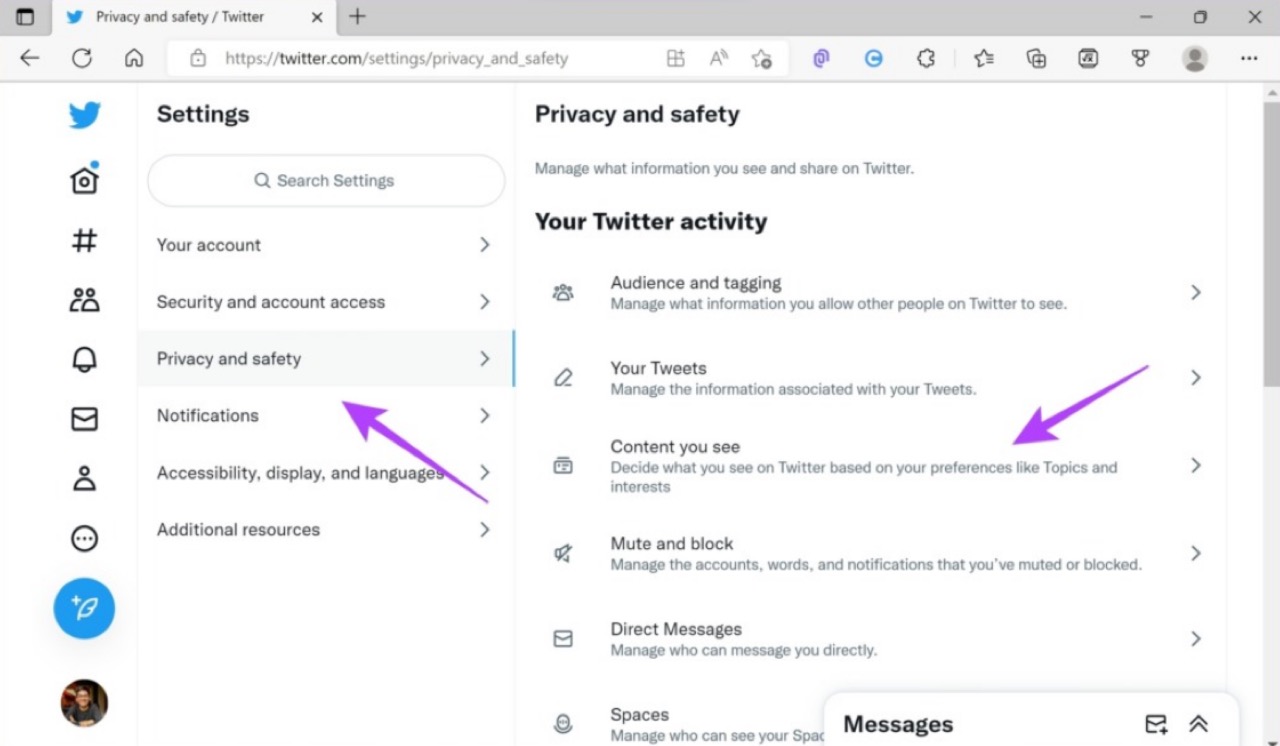
Turning off sensitive content warnings on X through your desktop is simple and only takes a few steps:
-
Log into your X account on a web browser.
-
Click on More from the side menu.
-
Select Settings and Support > Settings and privacy.
-
Click Privacy and safety.
-
Go to Content you see.
-
Tick the box next to Display media that may contain sensitive content.
Once you turn off sensitive content, you’ll no longer see blurred tweets or warning screens. It's one of the quickest ways to disable sensitive content and customise your X sensitive content settings according to your preference.
How to Adjust Content Settings on X (Mobile App)
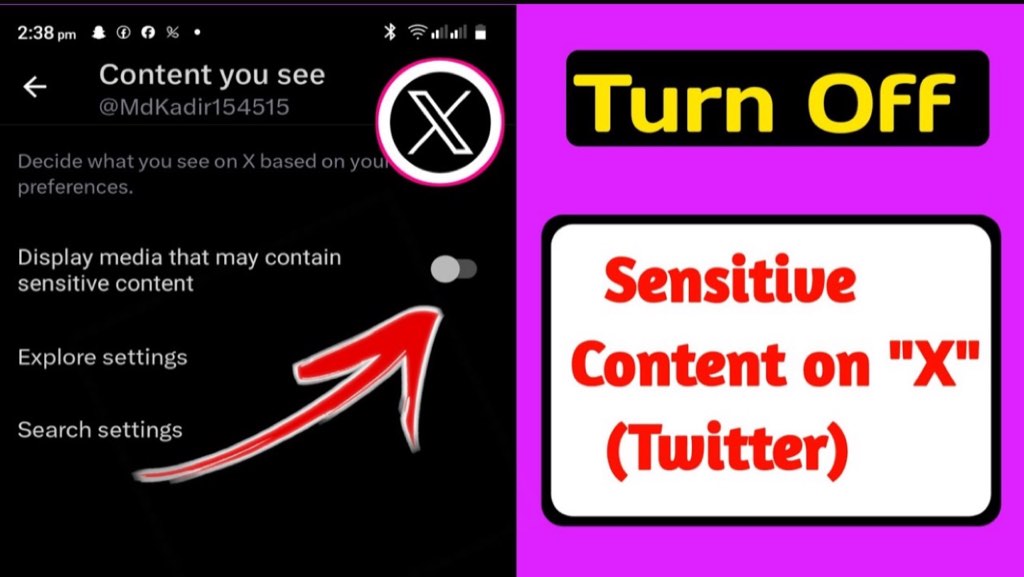
If you use X mainly on your mobile device, you can easily adjust content settings on X through the app:
-
Open the X app and tap on your profile picture.
-
Navigate to Settings and Support > Settings and privacy.
-
Select Privacy and safety.
-
Tap on Content, you see.
-
Enable Display media that may contain sensitive content.
Mobile users can quickly turn off sensitive content filters the same way they would on desktop. Adjusting your X sensitive content settings ensures a consistent experience across all devices.
When you disable sensitive content warnings across both mobile and desktop, you avoid any disruptions in your content consumption.
Important Things to Know Before You Disable Sensitive Content
Before you fully disable sensitive content filters, there are a few points to consider. If you plan to post sensitive material yourself, you’ll need to flag your posts accordingly — failing to do so might result in content takedowns.
Adjusting content settings on X gives you more freedom, but with that comes responsibility. By learning how to turn off sensitive content on X, you’re choosing to view all types of posts, including the ones flagged by other users.
Users leveraging Twitter automation tools often adjust these content preferences to ensure their messages are visible and their accounts operate without unnecessary restrictions. This helps maintain outreach efficiency while staying within platform rules.
Does Turning Off Sensitive Content Affect Your Account?
No, changing your settings to turn off sensitive content does not negatively affect your X account. Your timeline, followers, tweets, and engagement stay the same. The only difference is what you’re exposed to while scrolling.
However, if you post sensitive content without marking it properly after adjusting your X sensitive content settings, you might get flagged or temporarily restricted. The platform expects users who disable sensitive content settings to respect posting guidelines carefully.
Keeping your content aligned with X’s standards ensures that you maintain a healthy, unrestricted account while enjoying maximum feed visibility.
What to Do After You Adjust Content Settings on X
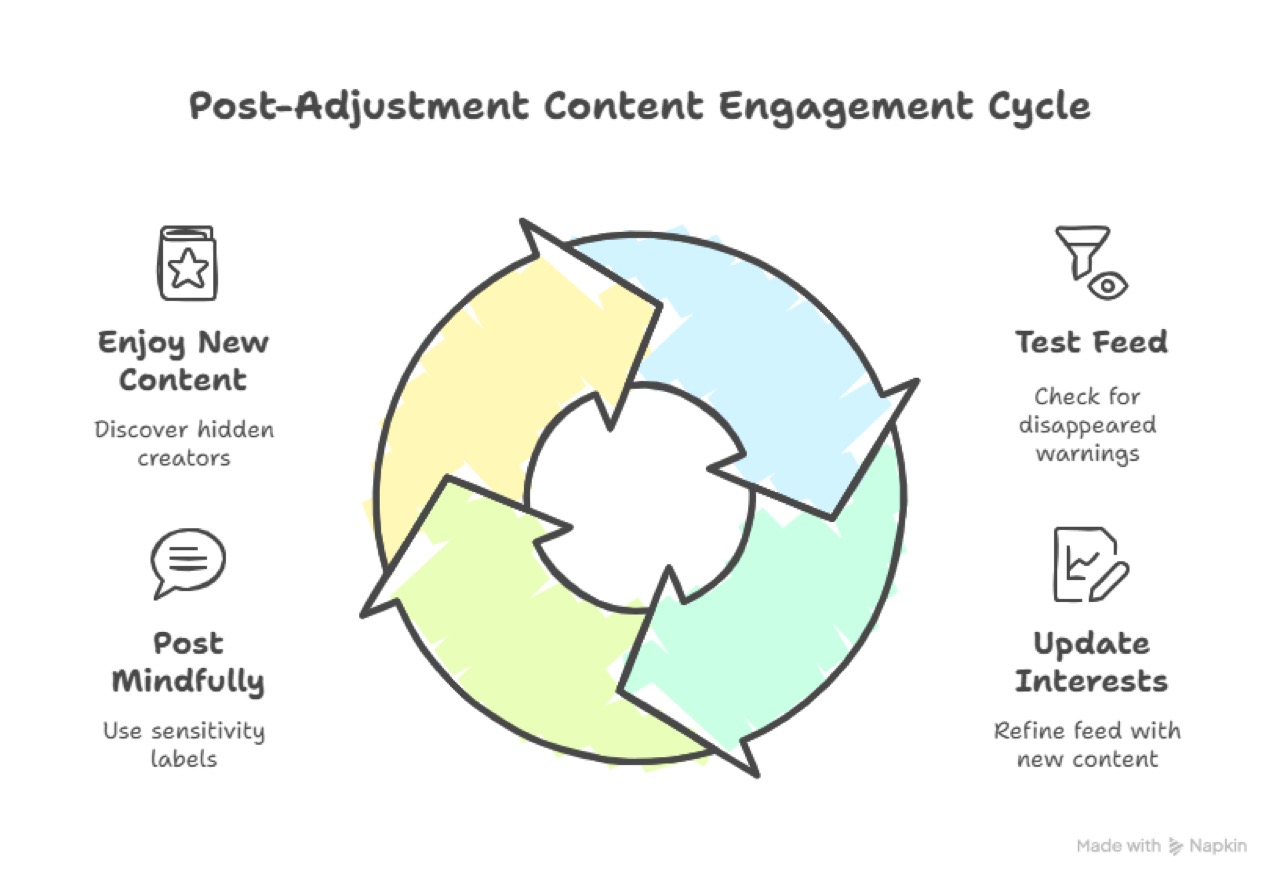
Once you successfully adjust content settings on X, here are a few smart next steps:
-
Test Your Feed: Scroll and check if warnings have disappeared.
-
Update Your Interests: With more content visible, update your interests to refine your feed.
-
Post Mindfully: If posting, use proper sensitivity labels when needed.
-
Enjoy New Content: Discover creators and communities that were previously hidden due to filters.
Turning off sensitive content gives you back full control. Enjoy the richer experience and broader reach that comes from adjusting your X sensitive content settings carefully.
Conclusion
Mastering how to turn off sensitive content on X lets you take charge of your own browsing experience. Whether you’re researching, marketing, or simply exploring, being able to disable sensitive content provides more control and flexibility.
By adjusting content settings on X, you create a timeline that reflects your interests without unnecessary barriers. Take a few minutes today to update your settings — and unlock everything X has to offer.
FAQs
Can I turn off sensitive content filters on both mobile and desktop?
Yes, you can adjust content settings on X through both mobile and desktop. Simply update the “Content you see” section and enable the option to display sensitive media.
Will disabling sensitive content settings affect my account reputation?
No, adjusting X sensitive content settings doesn’t harm your account. However, if you post sensitive material without the right labels, you could face temporary content restrictions.
How often can I change my sensitive content settings on X?
You can turn off sensitive content and re-enable warnings whenever you like. X allows users to update their content preferences as often as needed without penalties.
What happens if I disable sensitive content but still see warnings?
Sometimes platform updates or device cache issues cause settings to delay. Try refreshing your app or clearing browser cache after you adjust content settings on X to ensure full changes apply.
Does adjusting sensitive content settings affect who sees my tweets?
No, your audience reach remains unchanged when you disable sensitive content. However, tagging your posts correctly remains important if your tweets include potentially sensitive material.





Your next customer is already on X.
Find the people talking about what you sell, message them on a safe schedule, and turn the replies into booked calls.
- Scrape leads from any tweet, keyword or X List
- Auto-DM new followers and people who engage
- Follow-ups that stop the moment someone replies
- Safe daily limits and warm-up, built in
- Every reply tracked through to a booked call
Free Test plan · no credit card.
Related posts



Ready to automate your Twitter DMs?
Start sending personalized DM campaigns to your target audience today. Get higher response rates and more leads than cold emails.