

Contents
In today's fast-paced digital landscape, automation has become less of a luxury and more of a necessity. The good news? You no longer need to be a coding expert to automate repetitive tasks and streamline your workflow. No-code automation tools have democratized this space, allowing anyone to build powerful automated processes with simple drag-and-drop interfaces.
I've compiled a list of 8 standout no-code automation tools that can help you save time, reduce errors, and focus on what truly matters in your business or personal life.
Zapier

Zapier seeks to simplify your life by linking all the applications essential for your work. Zapier focuses on integrations, enabling you to automate workflows across over 4,000 distinct web applications.
You can create ‘if X, then Y’ type connections between applications such as Slack, Mailchimp, Airtable, and virtually thousands of others. It serves as an illustration of the most recognized no-code workflow automation tools available today. Utilize Zapier to reduce the monotonous, repetitive tasks that consume your team’s work hours.
Pros:
- A vast app ecosystem makes it possible to connect almost any software you use
- Visual builder is intuitive even for complete beginners
- Multi-step zaps allow for complex automation sequences
Cons:
- More complex workflows can get expensive quickly
- Some advanced features require technical knowledge despite being "no-code"
Pricing: Free plan available with 100 tasks/month; paid plans start at $19.99/month for 750 tasks and scale up to $599/month for teams and businesses with high automation needs.
xAutoDM 
xAutoDM.com is a powerful automation tool designed to supercharge your outreach on X (formerly Twitter). Instead of spending hours manually messaging potential leads, xAutoDM lets you run smart, targeted DM campaigns that reach hundreds of users daily — on autopilot.
Whether you're a solo founder, agency, or B2B marketer, xAutoDM helps you connect with your ideal audience faster, convert more conversations into customers, and grow your business without the spammy vibes.
Pros:
- Send paced, personalized DMs automatically, at a rate each account can actually carry.
- Scrape leads using filters like keywords, hashtags, or followers of specific accounts — reach exactly who you want.
- DMs get noticed faster than cold emails, often leading to higher reply and conversion rates.
- Set it and forget it — xAutoDM works in the background while you focus on closing deals or building your brand.
Cons:
- You’ll need to manage replies manually through your Twitter inbox.
- Blindly sending mass messages won’t convert — it still requires thoughtful targeting and human-style copy to be effective.
Pricing:
XAutoDM is priced per connected X account, in fixed buckets: Solo (1 account) at $29/month, Growth (5) at $125, and Scale (10) at $199, with an Agency plan by meeting (email piyushh@amplifyxlabs.com). Yearly billing works out at ten months for twelve. You can create a free account to explore the app; scraping and sending need a paid plan. Cancel anytime.
It scales by adding accounts rather than by raising the volume on any one of them, because the per-account sending ceiling on X barely moves whatever you pay. Current numbers are on the pricing page.
Make (formerly Integromat)

Make, previously known as Integromat, enables you to accomplish significantly more than just automating tasks and workflows. Using their drag-and-drop interface, you can also create complete apps and systems!
Make features an enjoyable, thoughtfully crafted, and visually striking interface — the organization refers to it as ‘playful.’ You can develop integrations to link various applications or establish workflows that can operate immediately or be planned for later.
Pros:
- More powerful data mapping and transformation capabilities.
- A visual flow chart makes it easier to understand complex automation.
- Better value for price compared to competitors.
Cons:
- Steeper learning curve than simpler tools.
- The interface can be overwhelming for new users.
Pricing:
Free plan with 1,000 operations; paid plans range from $9/month to $299/month based on operations and features needed.
Airtable Automation

Airtable Automation integrates powerful workflow automation directly within the Airtable platform, eliminating the need for external tools. With 50+ pre-built templates, users can automatically update records, send notifications, and sync data between tables using simple trigger-action logic and rich conditional options.
The feature shines for teams already using Airtable's database capabilities, creating a seamless experience for project tracking and information management. While it offers fewer external integrations than dedicated platforms like Zapier, basic automations are included in the free plan with expanded capabilities in paid tiers starting at $10/user/month.
Pros:
- Seamless integration with Airtable databases.
- No need for a separate tool if you're already using Airtable.
- Rich conditional logic options.
Cons:
- Only useful if you're already committed to the Airtable ecosystem.
- Limited external integrations compared to dedicated tools.
Pricing:
Basic automation is included in the free plan; more runs and advanced features in paid plans start at $10/user/month.
Microsoft Power Automate

Microsoft Power Automate is a robust workflow automation platform seamlessly integrated with the Microsoft 365 ecosystem. With over 400 connectors and AI-powered capabilities, it enables users to create everything from simple notification systems to complex multi-step business processes without coding knowledge.
Though the interface may feel less intuitive than newer competitors, Power Automate compensates with enterprise-grade security, comprehensive compliance features, and unparalleled integration with Microsoft products.
Pros:
- Excellent for Microsoft-centric organizations.
- Robust enterprise-grade security and compliance features.
- Desktop flow automation for legacy applications.
Cons:
- The user interface can feel clunky compared to newer tools.
- The best value comes when already paying for the Microsoft ecosystem.
Pricing:
Free plan with limited flows; premium connectors start at $15/user/month; additional costs for AI processing.
Notion Automation

Notion Automation is a native workflow automation feature built directly into the Notion workspace platform. Launched in 2023, it allows users to create automated processes within their Notion documents and databases without needing third-party integration tools.
The system uses a straightforward trigger-action framework that makes automation accessible to non-technical users.
Pros:
- Tight integration with Notion's database and document features.
- A simple trigger-action setup makes it accessible for beginners.
- No additional cost for existing Notion users.
Cons:
- Still developing with limited integration options.
- Not as powerful as dedicated automation platforms.
Pricing:
Included in Notion plans, which start at free for personal use and $8/user/month for teams.
N8n

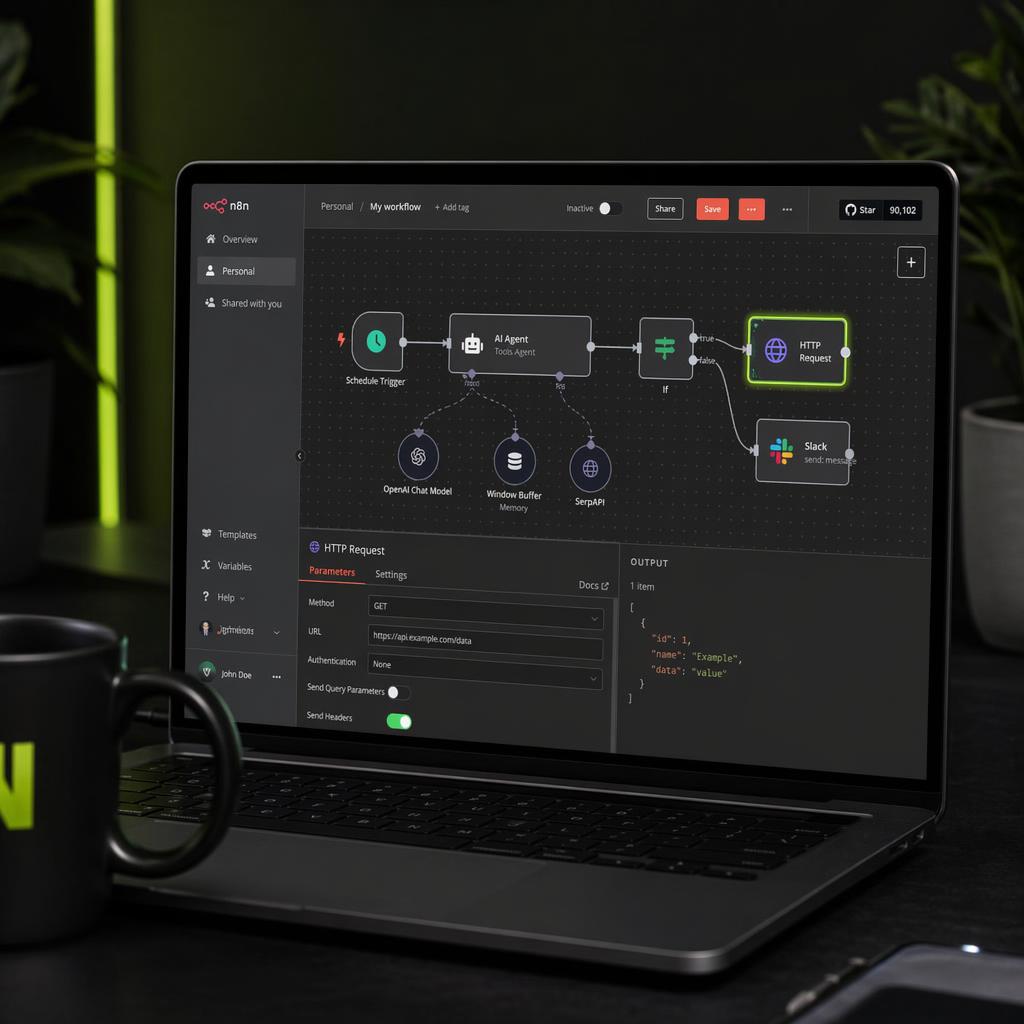
n8n is an open-source workflow automation platform that prioritizes data sovereignty and flexibility. As a self-hostable solution, it gives users complete control over their automation data and processes, eliminating operational limits imposed by cloud-based alternatives.
With 280+ integration nodes and extensive customization options, n8n appeals to technical users who need powerful automation capabilities without subscription constraints. While it requires some technical expertise to set up and maintain, the platform offers superior flexibility compared to commercial alternatives, with both free self-hosting options and managed cloud plans starting at $20/month.
Pros:
- Full control over your automation data and processes.
- No operation limits since you host it yourself.
- More customization options than closed-source alternatives.
Cons:
- Requires some technical knowledge to set up and maintain.
- Less polished user experience than commercial options.
Pricing:
Free for self-hosting; Cloud plans start at $20/month for managed service.
Bubble

Bubble is a comprehensive no-code development platform that goes beyond simple automation to enable users to build complete web applications without writing code. With over 25,000 active apps built on the platform, it offers a visual programming environment where users can create custom interfaces, complex databases, and integrated automation workflows all in one place.
What distinguishes Bubble from pure automation tools is its frontend development capabilities, allowing users to design responsive web applications with sophisticated logic and user interactions.
Pros:
- Build complete applications with integrated automation.
- More powerful than simple automation-only tools.
- Highly customizable with excellent database features.
Cons:
- Significant learning curve to master all features.
- Overkill if you just need simple task automation.
Pricing:
Free tier for basic apps; production plans start at $29/month and scale to $529/month for professional needs.
Conclusion
Automation tools that require no coding have transformed the way companies and individuals handle repetitive tasks. Whether you aim to simplify basic notification systems or create intricate multi-app workflows, you'll find a tool in this list that can assist you in achieving your objectives without needing to write any code.
The correct decision relies on your individual requirements, technical expertise, and financial considerations. Several provide free tiers, allowing for easy experimentation prior to subscribing to a paid plan. Begin with a simple automation that saves you the most time, then grow as you gain confidence in utilizing these effective productivity tools.
FAQs
What are no-code automation tools?
No-code automation tools are platforms that let you automate tasks and workflows without any programming. They use visual interfaces—like drag-and-drop builders—to connect apps, move data, and streamline repetitive processes, making automation accessible to everyone.
Are no-code automation tools suitable for businesses?
Absolutely. No-code tools are ideal for businesses aiming to boost efficiency without hiring developers. They empower teams to automate tasks, reduce manual errors, and enhance productivity, all while saving time and resources
What are some popular no-code automation tools?
Some widely-used no-code automation tools include Zapier, Make, Unito, and Kissflow. These platforms offer various integrations and features to help automate workflows across different applications and services.
How do no-code tools differ from low-code tools?
No-code tools require no programming knowledge, using visual interfaces for automation. Low-code tools, while still user-friendly, may need minimal coding for advanced functionalities, offering more flexibility for complex tasks.





Your next customer is already on X.
Find the people talking about what you sell, message them on a safe schedule, and turn the replies into booked calls.
- Scrape leads from any tweet, keyword or X List
- Auto-DM new followers and people who engage
- Follow-ups that stop the moment someone replies
- Safe daily limits and warm-up, built in
- Every reply tracked through to a booked call
Plans from $29/mo · cancel anytime.
Related posts


Ready to automate your Twitter DMs?
Start sending personalized DM campaigns to your target audience today. Get higher response rates and more leads than cold emails.