
Contents
You do not need a dedicated connector to use the XAutoDM API in n8n, Zapier, or Make. Each of these tools has a generic HTTP step, and the XAutoDM API is a standard REST endpoint, so you call it with a POST request and pipe the JSON into the rest of your workflow. This guide shows the exact setup in all three.
The point is leverage: scrape X leads on a schedule or a trigger, then drop them into a sheet, a CRM, or a Slack channel without writing a service.
What you need
An API key (request one on the API page while the API is in early access) and the endpoint:
POST https://app.xautodm.com/api/v1/scrapes
Authorization: Bearer xad_live_...
Content-Type: application/json
Body: { "source_type": "followers", "source_value": "https://x.com/naval", "count": 200 }
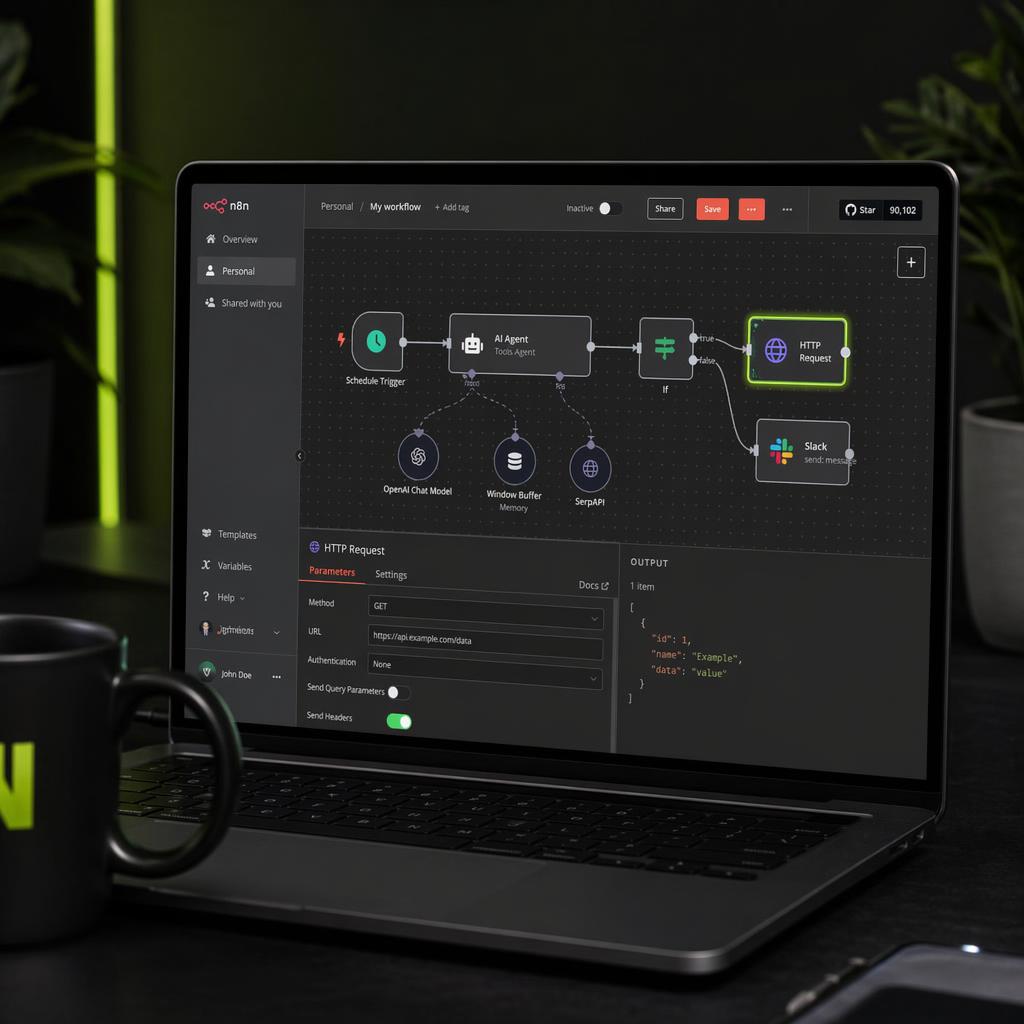
n8n (HTTP Request node)
- Add an HTTP Request node.
- Method: POST, URL: .
https://app.xautodm.com/api/v1/scrapes - Under Authentication, add a header: name , value
Authorization(store the key as an n8n credential, not inline).Bearer xad_live_... - Set Body Content Type to JSON and paste the body above.
- Connect the node's output to whatever comes next: a Google Sheets "append row," an HTTP call to your CRM, or a filter node.
Trigger it from a Schedule node (scrape nightly) or a Webhook node (scrape on demand).
Zapier (Webhooks by Zapier)
- Add an action step: Webhooks by Zapier → Custom Request.
- Method POST, URL the endpoint above.
- In Headers, add and
Authorization: Bearer xad_live_....Content-Type: application/json - In Data, pass the JSON body.
- Map the returned profiles into the next Zap step (add to Google Sheets, HubSpot, a Slack message).
Use any Zapier trigger to start it: a new row, a schedule, a form submission.
Make (HTTP module)
- Add the HTTP → Make a request module.
- Method POST, URL the endpoint.
- Add headers and
Authorization: Bearer xad_live_....Content-Type: application/json - Set the request body to JSON and paste the payload.
- Parse the response and route it to the next module (Data Store, Sheets, your CRM).
A useful first workflow
The highest-value no-code flow is a fresh-lead pipeline: on a nightly schedule, scrape a competitor's newest followers or a keyword search, filter to DM-able accounts, and append them to a sheet or CRM. Your outreach list stays current without anyone touching it.
Because it is just HTTP, anything you can express in code you can express here. When you are ready to act on those leads, the same API sends paced, personalized DMs. Request a key and see the endpoints on the API page.





Your next customer is already on X.
Find the people talking about what you sell, message them on a safe schedule, and turn the replies into booked calls.
- Scrape leads from any tweet, keyword or X List
- Auto-DM new followers and people who engage
- Follow-ups that stop the moment someone replies
- Safe daily limits and warm-up, built in
- Every reply tracked through to a booked call
Plans from $29/mo · cancel anytime.
Related posts


Ready to automate your Twitter DMs?
Start sending personalized DM campaigns to your target audience today. Get higher response rates and more leads than cold emails.